Understanding ClawdBot and its Powerful Capabilities
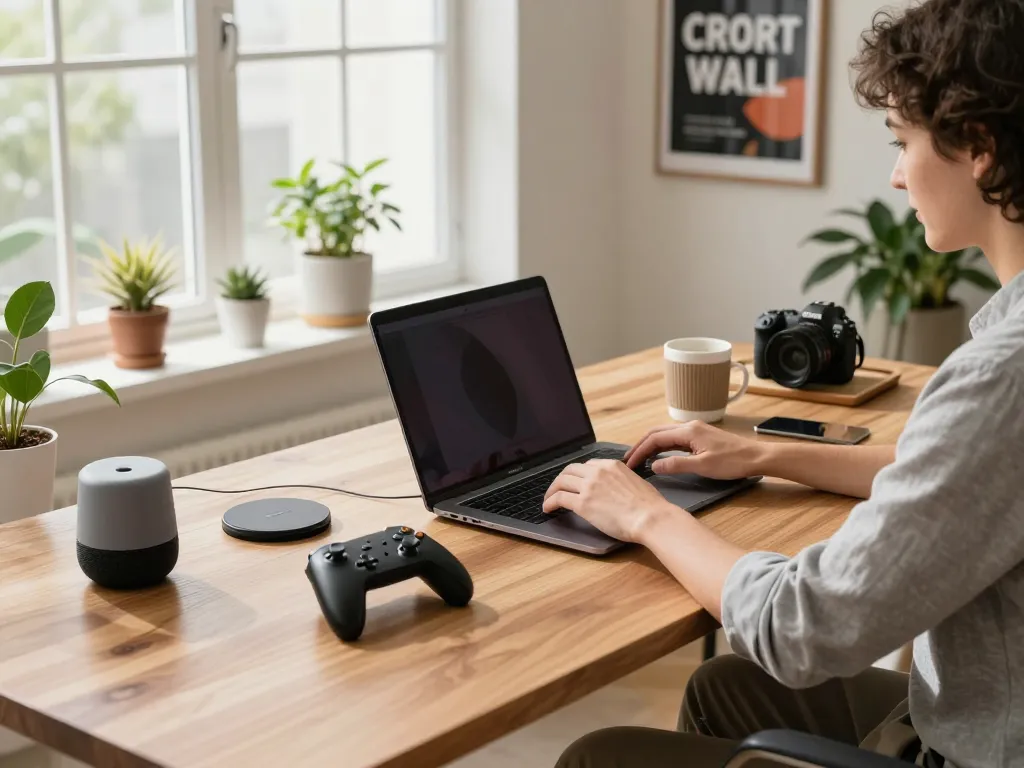
In the rapidly evolving landscape of artificial intelligence, personal AI assistants have become an integral part of our daily lives. The ClawdBot Personal AI Assistant stands out by offering not just basic interaction but a comprehensive suite of capabilities that can significantly enhance productivity. Designed to run on your machine, such as the mac mini, ClawdBot merges the power of large language models with real-world task automation, making it a unique tool for users seeking privacy and efficiency.
What is ClawdBot and How It Works?
ClawdBot is an innovative open-source AI personal assistant that redefines what an AI assistant can do. Unlike conventional AI tools that merely answer queries, ClawdBot integrates various large language models, including those from OpenAI and Anthropic. This integration allows it to process requests and take actions on your behalf, transforming how users interact with technology. By running locally on your device, ClawdBot ensures that your data remains under your control and not in the cloud.
The Unique Features of ClawdBot Compared to Traditional AI
A significant distinction of ClawdBot lies in its self-hosted architecture. While traditional AI assistants rely on cloud servers, ClawdBot operates entirely on the user’s machine, such as a mac mini, ensuring superior data privacy and faster response times. Moreover, ClawdBot’s ability to execute tasks—such as managing calendars, sending emails, and even controlling smart home devices—elevates it from a simple chatbot to a proactive digital assistant.
Integrating ClawdBot with Your Mac Mini
Setting up ClawdBot on your mac mini allows for seamless integration into your daily workflow. Its multi-platform compatibility means it can interface with popular messaging apps like WhatsApp, Telegram, and Slack, streamlining communication and task management. Whether you’re automating your email responses or scheduling appointments, ClawdBot adapts to your needs and preferences, all while ensuring your data remains private.
Installation Guide for ClawdBot on Mac Mini
Step-by-Step Installation Process on macOS
Installing ClawdBot on your mac mini is a straightforward process. Start by installing Node.js, which is essential for ClawdBot’s operation. The simplest method is to execute the following command in your terminal:
curl -fsSL https://clawd.bot/install.sh | bashAfter installation, run clawdbot onboard to guide you through the setup process. This initial run configures ClawdBot to integrate seamlessly with your existing systems.
Recommended Setup for Optimal Performance
To maximize the performance of ClawdBot on your mac mini, ensure that you have adequate RAM and processing power. For most tasks, 8GB of RAM is recommended, as it allows for smooth multitasking and execution of commands. Additionally, keeping your system updated—along with your applications—will enhance ClawdBot’s functionality, ensuring it runs efficiently alongside other software.
Troubleshooting Common Installation Issues
If issues arise during installation, common problems may include version conflicts with Node.js or dependencies not installing correctly. Ensure that your mac mini is running the latest version of macOS. If problems persist, checking the ClawdBot community forums can provide solutions from other users who have faced similar issues.
Enhanced User Experience with Multi-Platform Integration
Supported Messaging Apps and Their Benefits
ClawdBot supports over 50 platforms, including popular messaging apps like WhatsApp and Discord. This wide array of integrations allows users to communicate with their assistant effortlessly. For instance, you can check your calendar or send emails directly through your preferred messaging app without needing to switch interfaces, saving time and increasing productivity.
Customizing ClawdBot for Your Favorite Apps
Customization is a key strength of ClawdBot. Users can tailor the assistant to interact with specific apps according to their workflows. For example, if you predominantly use Slack for team communications, you can configure ClawdBot to send updates and reminders within that platform, allowing for a more cohesive interaction with your team.
How to Maintain User Privacy in Messaging Integration
Privacy is paramount, especially with personal AI assistants. ClawdBot is designed with a privacy-first approach, ensuring that data processed through messaging apps remains secure. Local data handling means that your conversations and requests are not stored on external servers, significantly reducing the risk of data breaches.
Real-World Use Cases for ClawdBot on Mac Mini
Automating Daily Tasks Through Messaging Platforms
One of the standout features of ClawdBot is its ability to automate repetitive tasks. For example, you can set ClawdBot to monitor your emails and respond to common queries directly through your chosen messaging app. This feature not only saves time but also ensures that you remain engaged with your communications.
Managing Your Calendar and Reminders Effectively
ClawdBot makes calendar management effortless. Users can schedule meetings, set reminders, and check availability using simple chat commands. Integrating your calendar with ClawdBot means you can manage your time efficiently, all from the comfort of your favorite messaging platform.
Controlling Smart Home Devices with ClawdBot
With ClawdBot, controlling smart home devices becomes a simple task. By linking your smart devices, such as Philips Hue lights or Google Home, you can issue commands through messaging apps. For example, you can say, “Turn on the living room lights” via WhatsApp, and ClawdBot will execute the command seamlessly, making smart home management more intuitive.
Future of Personal AI Assistants and Next Steps
The Evolution of AI Integration in Personal Devices
The landscape for personal AI assistants is evolving rapidly. With advancements in AI technology, assistants like ClawdBot are becoming more capable of understanding complex commands and performing intricate tasks. As AI integration continues to progress, expect personal assistants to take on more responsibilities in your daily life, enhancing not just productivity but also personal convenience.
Trends for AI Assistants in 2026 and Beyond
Looking ahead, AI assistants will likely see enhanced personalization features, allowing for a more tailored user experience. Innovations in natural language processing will make interactions feel even more human-like, while improvements in security protocols will further ensure user privacy. The coming years are set to redefine how we view and interact with personal AI technologies.
How to Stay Updated on ClawdBot Developments
To keep abreast of the latest ClawdBot features and community developments, regular visits to the official website and forums are essential. Engaging with the community through platforms like Discord can also provide insights and tips from other users, enhancing your overall experience with this powerful AI assistant.
What platforms does ClawdBot support?
ClawdBot is highly versatile, supporting multiple platforms including macOS, Windows, and Linux. This flexibility allows users to install it on various devices, ensuring accessibility from different environments.
How does ClawdBot maintain user privacy?
With ClawdBot running locally on your device, user privacy is a top priority. Unlike cloud-based assistants, ClawdBot processes data on your machine, securing your information against unauthorized access and breaches.
Can ClawdBot be used offline on Mac Mini?
Yes, ClawdBot offers offline functionality when using local AI models. Users can maintain full operational capacity without an internet connection, ensuring that essential tasks can still be performed.
What are the benefits of using a self-hosted AI assistant?
The benefits of a self-hosted AI assistant like ClawdBot include enhanced privacy, control over data, and reduced reliance on third-party services. Users can customize their workflows and features, tailoring the assistant to fit their specific requirements.
How is ClawdBot different from other AI assistants?
ClawdBot differentiates itself by combining advanced AI capabilities with local execution and task automation. Unlike other AI assistants that primarily focus on conversation, ClawdBot performs real-world actions, making it a more powerful tool for users.